9 min read

Published
April 1, 2026
The Augmented Designer: How AI Changes the Role of UX Designers

Dominik
UX/UI Designer
The question has been asked quite a few times, hasn’t it? How has the role of UX designers changed in the age of AI? For decades, digital product design has been about shaping paths. Designers would plan flows, draw screens, model states, and make sure people can achieve a goal without getting lost. Figma files, journeys, design systems, A/B tests, most teams still work this way.
The arrival of generative AI has caused a deeper shift in the world of UX/UI design. In many teams, it lives as a sidebar, a chat bubble, or a “copilot” inside existing tools. Designers prompt it for copy, ideas, or quick variations. Some products now include a chat interface that can do things in the product for you.
Instead of clicking through steps, designers can describe an outcome they want and expect the system to assemble the steps for them. What this means is AI will not only write text or code, but also generate interactive layouts on the fly – even an entire custom interface tailored to a specific request. Jakob Nielsen describes this as a move from command-based interaction to intent-based interaction.
The question is no longer just “how do designers use AI?”, but a rather more fundamental question: “what is the role of a designer when outcomes arrive first, and interfaces can be generated on demand?”
Several trends are converging to create a new environment for UX work. These are not just designer problems. They translate directly into how users experience your product. Let’s take a deeper look.
Conversation is becoming a main way to express intent, but it’s not enough on its own. Julie Zhuo points out that chat is wonderful for the first idea and very frustrating for small edits. People have to keep explaining tiny changes in words, and the burden sits on the user. Language is used to set goals and constraints, and then more traditional controls (chips, sliders, drag handles) sit on the artefact for fine-tuning.
In practice, that means many AI-native products start from a desired outcome – a trip, a draft, a plan, a configuration – and then reveal controls to adjust it. Instead of “fill out this form so we can calculate a proposal,” we see “here is a proposal based on what we know, let us refine it together.” The system creates not just content, but a small tool tailored to the user’s prompt. This means UX designers now have to think about how to design AI-generated outcomes that users can easily understand, adjust, and trust.
We are also seeing early versions of AI companions that live across apps and contexts. They remember what you like, what you are working on, and what you asked for before. Research from Harvard Business School suggests that people are interested but also hesitant – not only because of quality concerns, but because they are unsure what the companion remembers and whether the relationship feels “real” or authentic enough.
As systems become more autonomous, people need to understand why a certain suggestion appeared and how much they can rely on it. Work from Google’s People + AI team and others argues that explanation and trust are closely linked. Putting the right amount of “why” in the right place helps users calibrate their trust instead of blindly accepting or rejecting AI output.⁵ This pushes explanation from documentation into the actual interface.
For UX designers, this presents a design and trust challenge. What should the system remember by default? How should the AI’s memory be visible to the user? How easy should it be to review, correct, or delete it? These are just a few of the questions designers now have to think about.
These shifts do not tell us exactly what to do, but they redefine the environment in which the role of the UX designer lives. Even if AI can generate layouts, drafts and small tools, designers do not disappear – the shape of the job simply changes.
Designers will need to be more involved in deciding what “good” means for AI-powered experiences. Instead of focusing only on clicks or completion rates, they may look at metrics like time to first useful result, number of corrections needed, how often people undo AI actions, or how comfortable they feel with what the system remembers about them.
But it’s important to keep in mind that none of these skills replace classic design skills like visual hierarchy, interaction patterns, and research – they sit on top of them. Let’s take a look at what they are.
Designers translate messy human goals into clear, adjustable concepts that a system can work with. Instead of only asking “what are the steps,” we ask “what are the dimensions of this problem the system should know about?” When a user says “a quiet weekend trip that feels local, not touristy,” the system needs to know about budget, distance, activity type, social intensity, and daily schedule. Designing these adjustable controls from user goals is the new work of UX in AI-powered products.
In projects like this, designers have to be comfortable expressing problems in terms of parameters, constraints, and relationships. It’s not about becoming a data scientist, but being able to say: “These are the three or four levers that define this outcome. Here is how they interact. Here is how a small tweak should ripple through the system.”
The more AI acts on behalf of users, the more it matters who decides what and when. Designers must decide how to make the system understandable, show what it plans to do, let the user test or simulate it, then make the real change with clear confirmation and an easy way back.
This means questions about bias, manipulation, autonomy, and emotional attachment to AI are not only for legal or ethics teams. They show up in tiny interface choices: which default is preselected, how a companion phrases its “voice,” whether a product hides or highlights uncertainty. Studies on AI companions illustrate how easily people project human qualities onto systems and how uneasy they feel about “fake” relationships or opaque remembering. Designers will need enough grounding to spot these tensions early and help avoid frustration or mistrust.
With companions and multi-agent setups, experiences stretch across apps and time. Designers have to think less in individual screens and more in terms of “what does the system remember, how does it show that, and how can a user change it?” Memory becomes a material, like colour or layout, that needs shaping and constraints.
That means that in the domain of communication and explainability for AI-native products, designers have to decide what to explain, when, and how much. Work on trust and explainability suggests that not every decision needs a long explanation, but key decisions benefit from short, targeted “why” messages that help people judge whether to accept or adjust the result.
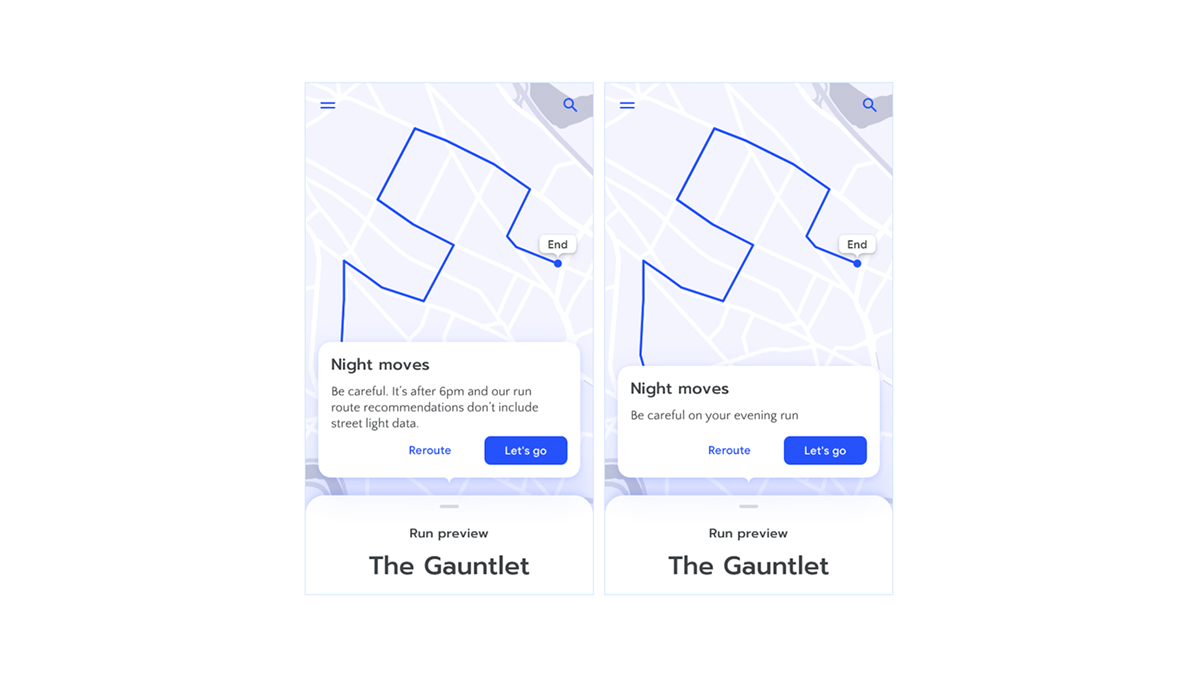
When interfaces and content are generated at scale, brand and craft cannot rely only on individual decisions. They have to live in design tokens, patterns, and rules that models can respect. Here, designers become responsible for the “grammar” that tells the system what feels right.
As interfaces become more generative, these systems become the main way to control quality and consistency. Designers who can think in systems, name patterns, and express visual language as reusable rules will have an advantage, giving users confidence in AI-generated content.
So, what is the role of a designer in times of generative AI, and how do they still keep the creative autonomy that’s so often the key differentiator in their work? A useful way to think about it is this: creative autonomy is less about manually producing every artefact and more about owning the questions, constraints, and values that shape those artefacts.
UX designers may not design every pixel, but they’ll still design the frame. They decide how intent enters the system, what the system is allowed to do on its own, and how and where it explains itself. They decide how users use it and understand it, how easy it is for them to correct it, say no, or change their minds. They decide how the product’s identity survives when parts of the interface are generated on demand.
In short, the future of AI in your product doesn’t just depend on the technology. It depends on UX designers who guide outcomes, shape trustworthy experiences, and keep users in control, delivering value rather than frustration.
This is why involving UX designers early is a must to ensure your AI product is usable, trustworthy, and aligned with your business goals. Feel free to reach out to us – we’re always ready to do more design.
Dominik is a UX/UI designer at COBE, always exploring new tools, whether that's through his work or creative hobbies like clay modelling and writing.